Billing & Finance
Manage your company finances with JACK App’s invoicing and billing tools. Create and track invoices, automate payments, and keep your financial workflow efficient.
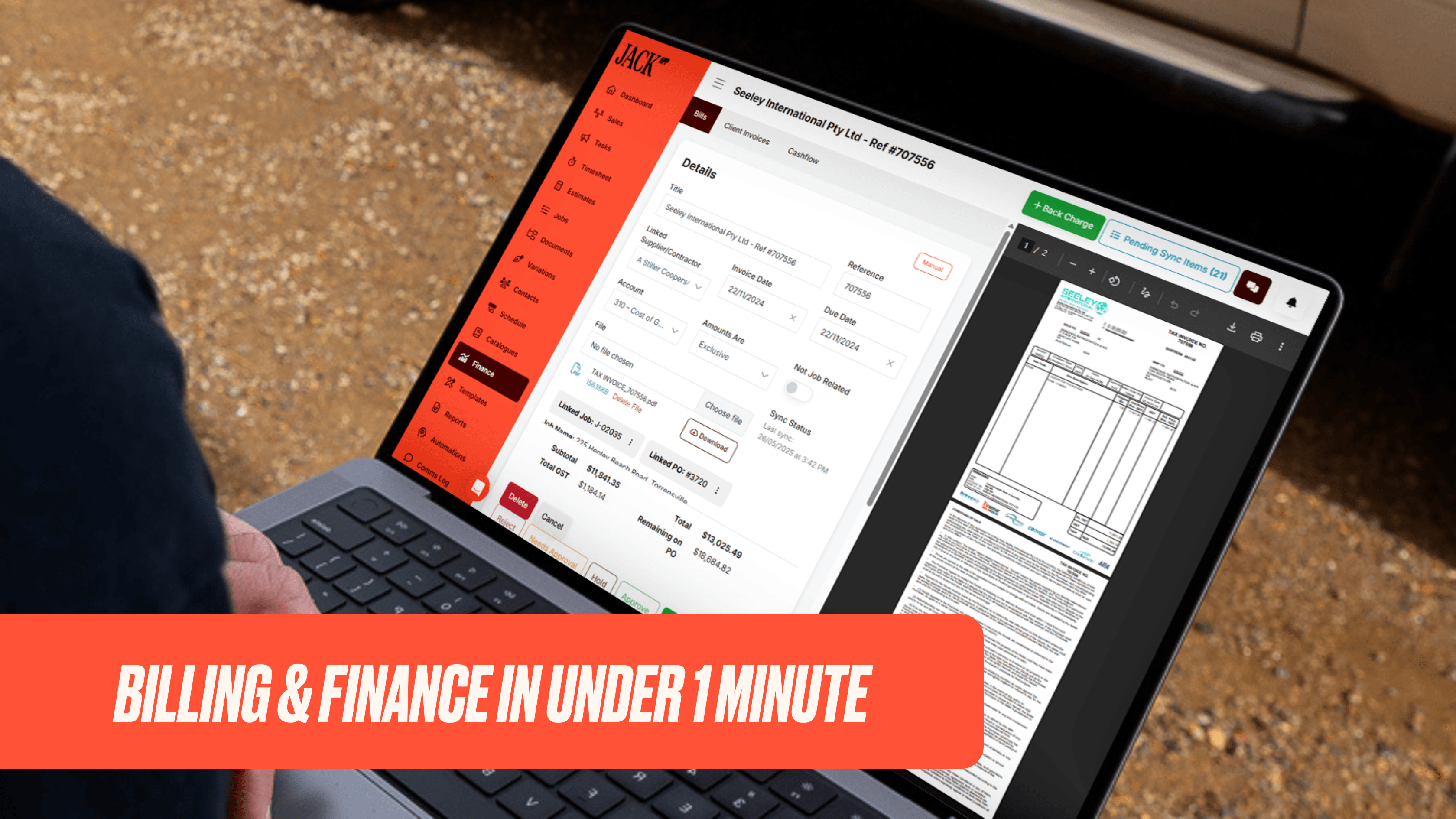
Keep your company finances in check with powerful invoicing and billing capabilities.
Billing & Finance FAQS
JACK App lets you scan or upload vendor or contractor bills; then it uses OCR (optical character recognition) to pre-fill key bill details (supplier name, invoice date, due date, amount). You can assign bills for approval or reject incorrect ones, and push approved bills to Quickbooks.
When processing a bill, you can link it to a specific job, and to purchase orders or budget items. Line items from the bill that are not yet allocated show under “Unlinked Items”; you must assign them to cost categories so spending is tracked correctly in the project budget.
JACK App offers Job Financials: you can compare the starting forecast profit (at contract date) with current forecast profit as costs/schedules/change orders change. You also get insights into gains or losses (client-initiated or internal), and can filter reports by project, cost code, date created, project supervisor, etc.
JACK App provides a 12-month cashflow forecast using expected timing of customer and vendor payments. It lets you include overheads (general costs), tax liability/asset, etc., so you see a fuller picture of your finances. You can also enter the actual cash balance at the end of each month to keep forecasts accurate moving forward.
You can create, send, track, and manage invoices all within JACK App. It integrates with Stripe for secure client payments and with Quickbooks so invoices sync across. Invoices can also flow from signing agreements to the payment portal, helping payments happen faster.
Read what our Customers say about JACK App!

Our Partners